
Ovation 3.1, Web App, SSO and more!
Ovation is now available in your browser! Plus, a new Home venue, 2 new avatars, more expressive voices, and 45 additional languages.


A conversation in someone’s home feels different from one in a boardroom. A person’s tone can tell you when to offer reassurance or take more time to explain. Ovation 3.1 brings more of those details into practice, with a new Home venue, two new avatars, more expressive voices, and 45 additional languages.
Alongside this release, we’ve opened the Ovation Web beta to all active subscribers and trial users. We’ve also launched a Resource Center to help you get more from Ovation, plus single sign-on (SSO) and automated account provisioning (SCIM) to help organizations manage access.
Make Yourself at Home

The new Home venue brings speaking practice into a realistic residential environment, with kitchen, dining room, living room, and front-door locations.
Use it for everyday conversations with family and friends, language practice, or professional home visits. A nursing student can prepare to speak with a patient at home. A language learner can practice welcoming a guest or talking over a meal. Choose a setting that fits the conversation and build confidence in surroundings closer to the ones you’ll encounter.
Meet Helen and Gerald

We added Helen and Gerald in response to requests for more variety in medical and therapy scenarios. They’re part of our work to represent a wider range of body types, ages, and racial backgrounds within Ovation.
For learners preparing to work with patients and clients, that variety matters. It gives them opportunities to practice with people who better reflect those they’ll meet in the real world.
Hear More Expression
Excitement, uncertainty, warmth, and frustration now come through more clearly in the way avatars speak. Updated voices can laugh, sigh, whisper, and shift their tone as a conversation develops.
That gives you more to respond to than the words alone. Listen for hesitation, recognize when someone needs reassurance, or adjust an explanation when a patient or colleague sounds frustrated. These are opportunities to practice adapting your response as the conversation unfolds.
Speak in 45 Additional Languages
Ovation 3.1 adds 45 languages, giving you more choice in how you prepare for conversations at work, in class, or in daily life. Practice in the language you’re learning or the one you use every day.
New languages: Afrikaans, Armenian, Assamese, Azerbaijani, Belarusian, Bengali, Bosnian, Bulgarian, Catalan, Cebuano, Chichewa, Croatian, Estonian, Filipino, Galician, Georgian, Gujarati, Hausa, Hungarian, Icelandic, Irish, Javanese, Kannada, Kazakh, Kyrgyz, Latvian, Lingala, Lithuanian, Luxembourgish, Macedonian, Malayalam, Marathi, Nepali, Pashto, Punjabi, Romanian, Serbian, Sindhi, Slovak, Slovenian, Somali, Swahili, Telugu, Urdu, and Welsh.
Try Ovation Web
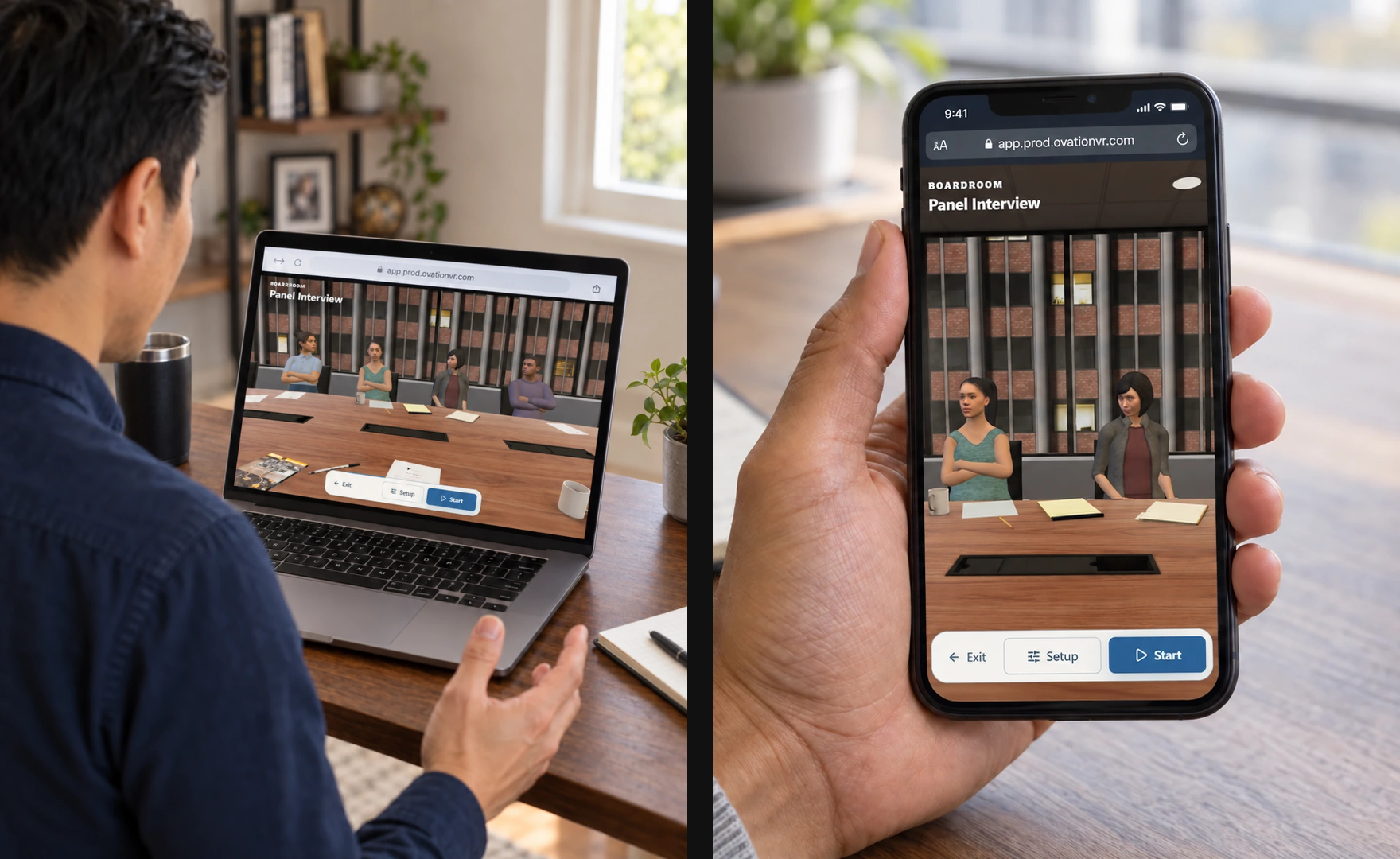
Everyone with an active Ovation subscription or trial can now experience Ovation Web using their existing account.
Prepare for an interview or presentation with lifelike AI participants and feedback, right in your browser. When you only have a few minutes, open a quick Skill Drill on your phone. No download or headset is required.
Focused speaking practice
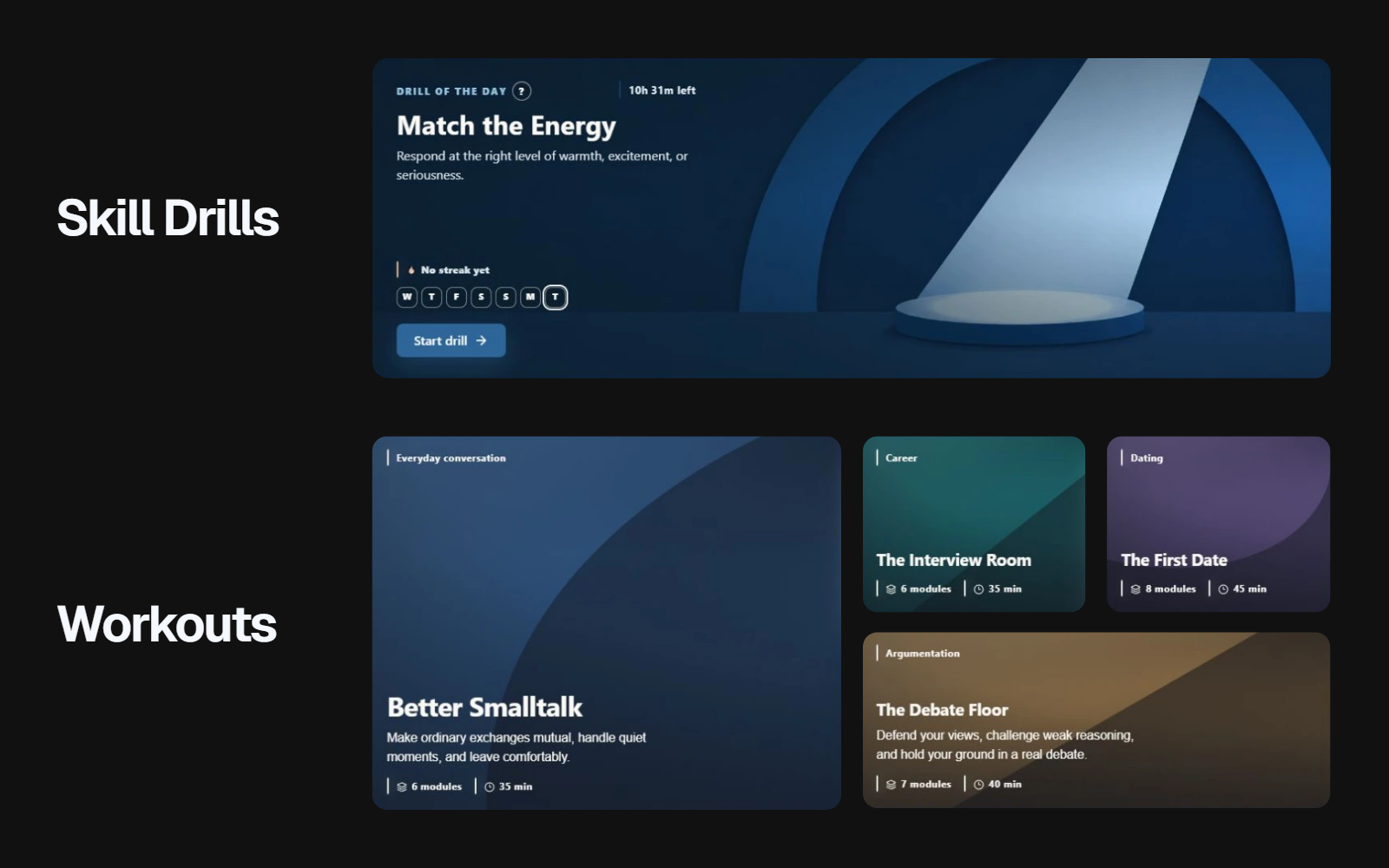
Scenarios let you customize your practice by choosing the setting, participants, and goals to reflect what you’re preparing for.
For a short exercise targeting listening, empathy, or persuasion, try a Skill Drill.
Workouts combine focused exercises with review and a final challenge, helping you put those skills together. Both give you a starting point without requiring you to prepare a presentation or set up a scenario.
Phone calls and video meetings
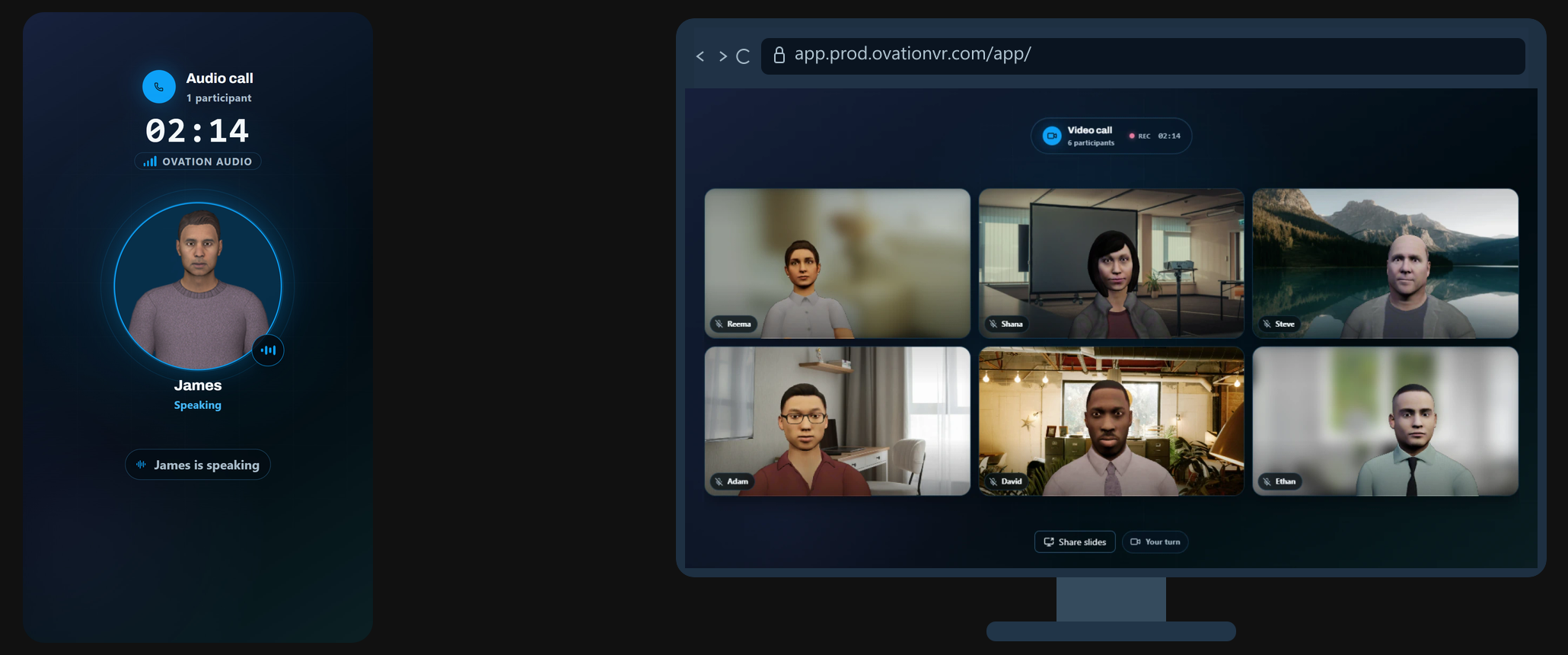
Two scenarios are available exclusively in the Web App:
- Phone Call: Rehearse voice-only conversations, from sales follow-ups to customer support and difficult workplace discussions. Practice listening and explaining your point when you can’t rely on facial expressions or other visual cues.
- Video Call: Prepare for virtual meetings and remote presentations. Upload your slides so AI participants can see and respond to them, giving you a chance to work through questions before the real meeting.
A Growing Resource Library
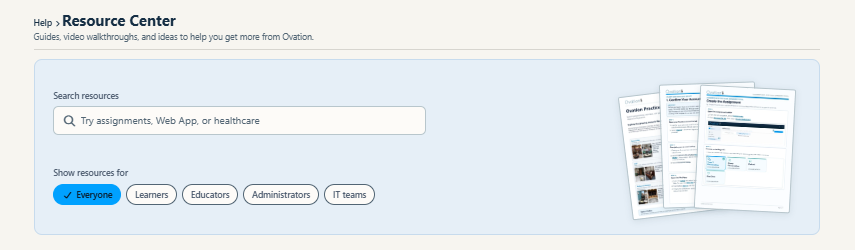
Our new Resource Center is a growing library for Learners, Educators, Administrators, and IT Teams.
Find quick-start guides for the Web, VR, and desktop apps, assignment tutorials, and help with organization management. Search for a task or filter by audience to find the help you need.
Educators can share a quick-start guide with a class before the first practice session. Administrators and IT teams can use the setup guides when preparing an organization for rollout.
In the Management Portal, open Help in the left sidebar and select Resources. You can also access the same resources on the Ovation website (no account required).
If you have requests for new resources, please let us know at feedback@ovationvr.com.
More Support for Your Program
Single sign-on (SSO)
Organizations can now set up SSO so learners sign in with the credentials they already use at school or work. That means one less password to remember, while IT teams manage authentication through their existing identity provider.
The SSO setup guide walks through configuration, with examples for Microsoft Entra ID, Okta, Google Workspace, and more.
Account provisioning with SCIM
SCIM connects your organization’s directory to Ovation to automate account creation, profile updates, and deactivation. Optional group synchronization helps keep membership aligned as people join, change teams, or leave.
This reduces manual account maintenance for administrators. Deactivating an account preserves its recordings and reports, so removing access doesn’t mean losing the learner’s work.
Share the account provisioning guide with your organization administrator and IT team. They’ll handle setup for SSO and SCIM.
For help getting started, contact support@ovationvr.com.
Coming Soon: LMS Integration
We’re working on LTI integrations for Canvas, Blackboard Ultra, Moodle, and D2L Brightspace. We’ll share setup details and supported workflows as they become available.
If you're a current Organization subscriber and have input on how our LMS integration should work, please reach out to your Ovation representative.